Azure AI Services on AI-901: Vision, Speech and Document Intelligence
Match the workload to the right Azure AI service for AI-901: Vision, Speech, Language, and Document Intelligence, with the scenario cues the exam uses.
A big share of AI-901 questions boil down to one skill: given a scenario, pick the right Azure AI service. Microsoft Azure AI Fundamentals tests this across objectives 2.2–2.4, covering text and speech, computer vision and image generation, and information extraction. Memorize the mapping below and you'll knock out a whole category of questions on sight.
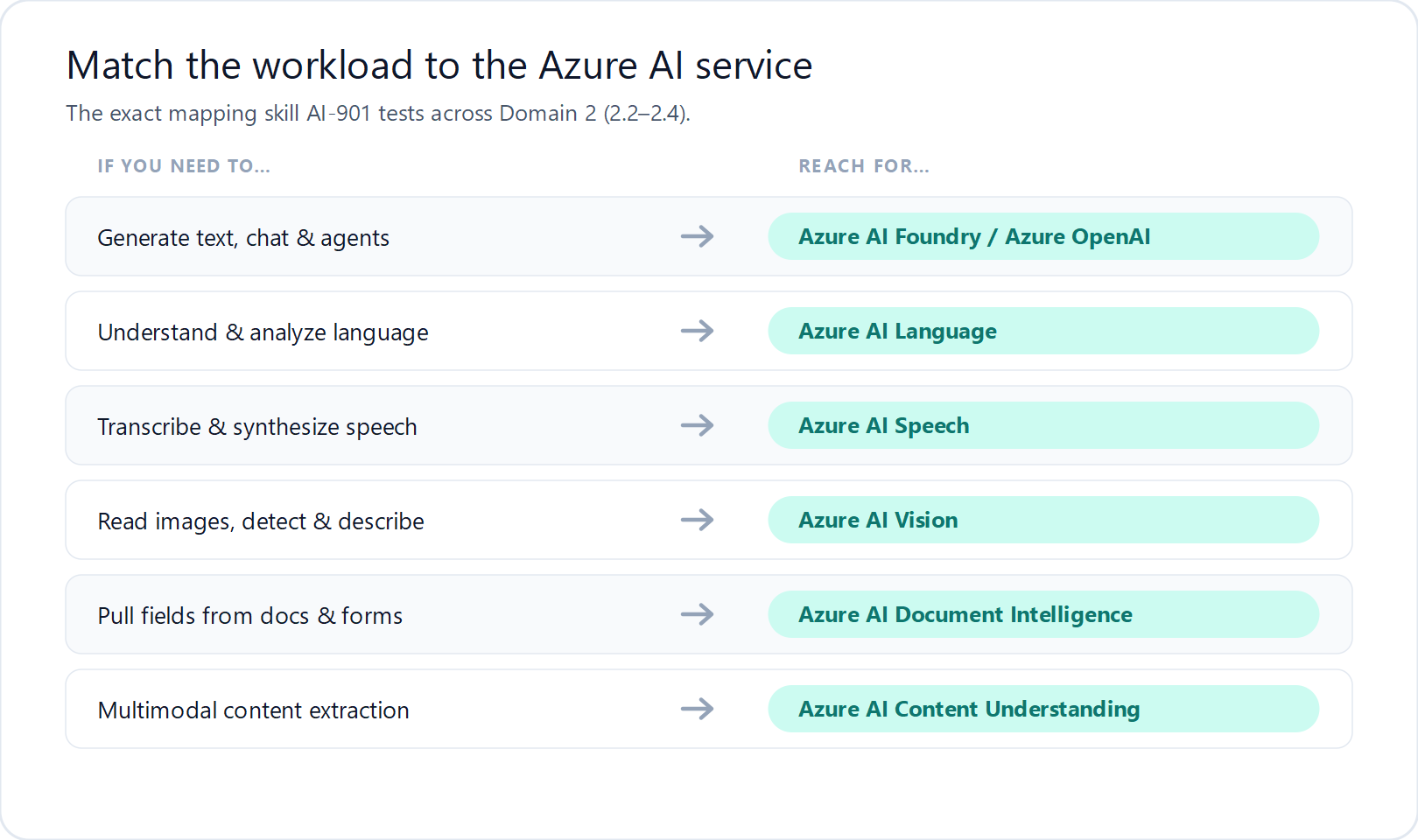
The core Azure AI services
Azure AI Vision — “understand images”
Use it to analyze images and video: detect and classify objects, generate captions, read text with OCR, and detect faces. Scenario cue: “describe what's in a photo” or “extract text from a picture” → Azure AI Vision.
Azure AI Speech — “audio in, audio out”
Speech-to-text (transcription), text-to-speech (synthesis), real-time translation and speaker recognition. Scenario cue: “transcribe a call” or “read this text aloud in a natural voice” → Azure AI Speech.
Azure AI Language — “understand text”
Sentiment analysis, key-phrase extraction, entity recognition, language detection, summarization and question answering. Scenario cue: “is this review positive or negative?” → Azure AI Language.
Azure AI Document Intelligence — “structure from documents”
Pull fields, key-value pairs and tables out of invoices, receipts, forms and IDs. Scenario cue: “automatically read invoices and capture the totals” → Document Intelligence (don't confuse this with plain OCR in Vision — this returns structured data).
Content Understanding & generative extraction
Newer multimodal extraction can pull insights from documents, images, audio and video together, and generative models can summarize or extract fields from messy input. For AI-901, know that information extraction can be done with both classic services and generative approaches in Foundry.
Vision vs. Document Intelligence: the classic trap
Both can “read text,” so the exam tests whether you know the difference:
- Azure AI Vision (OCR) = get the raw text and where it is on the image.
- Azure AI Document Intelligence = get structured data (this is the invoice number, this is the total) from forms and documents.
How to lock it in
Make a one-page table: workload on the left, service on the right. Then practice with scenario questions until the mapping is automatic — that's exactly how the exam phrases them.
Start practicing AI-901 questions for free
Reading about the objectives gets you maybe halfway. The concepts only stick once you answer real questions, get one wrong, read why, and try again. That feedback loop is what actually moves your score on exam day.
Scenario → service questions are the easiest points on AI-901 once the mapping is automatic. On ExamStudyApp you can run a free AI-901 practice session right now — no account and no credit card required. You'll see Microsoft Azure AI Fundamentals questions one at a time with a full explanation after every answer, so each question doubles as a mini lesson.
When you're ready to go all in, the Microsoft Azure AI Fundamentals (AI-901) practice tests give you unlimited adaptive practice plus timed, full-length mock exams that mirror the real scoring — including a per-objective breakdown so you know exactly what to review before you book the exam.
▶ Try free AI-901 practice questions →
The full AI-901 series
This post is part of our five-part AI-901 study series:
- AI-901 Exam Guide (2026): What's New in Azure AI Fundamentals
- Responsible AI on AI-901: Microsoft's 6 Guiding Principles
- Microsoft Foundry for AI-901: Generative AI Apps & Agents
- Azure AI Services on AI-901: Vision, Speech & Document Intelligence (you are here)
- How to Study for AI-901: A 14-Day Azure AI Fundamentals Plan